Quick Summary
Occupational therapists (OTs) are increasingly turning to voice to text for occupational therapy notes to combat documentation burnout and improve clinical accuracy. By leveraging AI-driven speech recognition, OTs can transcribe complex clinical observations, assessment results, and SOAP notes up to three times faster than manual typing. This technology not only enhances the level of detail in NDIS and Medicare reports but also significantly boosts billable hours by reclaiming administrative time. This guide explores the implementation strategies, privacy considerations, and the best tools for 2026.
🎯 Key Takeaways
Efficiency Gains: Voice dictation reduces note-taking time by 40-60% compared to traditional typing.
Clinical Depth: Real-time capture prevents 'information loss' and leads to more comprehensive patient care plans.
Compliance: Modern AI tools ensure HIPAA and Australian Privacy Act compliance for sensitive health data.
NDIS Optimization: Detailed, goal-aligned progress notes facilitate faster plan approvals and audit readiness.
Interoperability: Top-tier software integrates seamlessly with popular Practice Management Systems (PMS).
Table of Contents
Why Voice to Text for Occupational Therapy Notes is the Future of Allied Health
The Mechanics of Speech-to-Text in OT Settings
Step-by-Step Guide: Implementing Voice to Text for Occupational Therapy Notes
Maximizing Efficiency and Billable Hours
Maintaining HIPAA and Privacy Compliance with Voice to Text for Occupational Therapy Notes
Comparative Analysis of OT Documentation Tools
Advanced AI Integration: Beyond Simple Transcription
Mastering Curki AI Workforce Tools for OT Documentation
Future Trends: The Evolution of Ambient Intelligence in OT
Frequently Asked Questions
Why Voice to Text for Occupational Therapy Notes is the Future of Allied Health
For many years, the primary barrier to high-quality care in occupational therapy hasn't been a lack of clinical skill, but the overwhelming volume of paperwork. Between initial assessments, daily progress notes, and complex NDIS reporting, the average therapist spends over 10 hours a week on documentation. Implementing voice to text for occupational therapy notes transforms this workflow from a manual chore into a streamlined, high-speed process.
Overcoming Documentation Fatigue
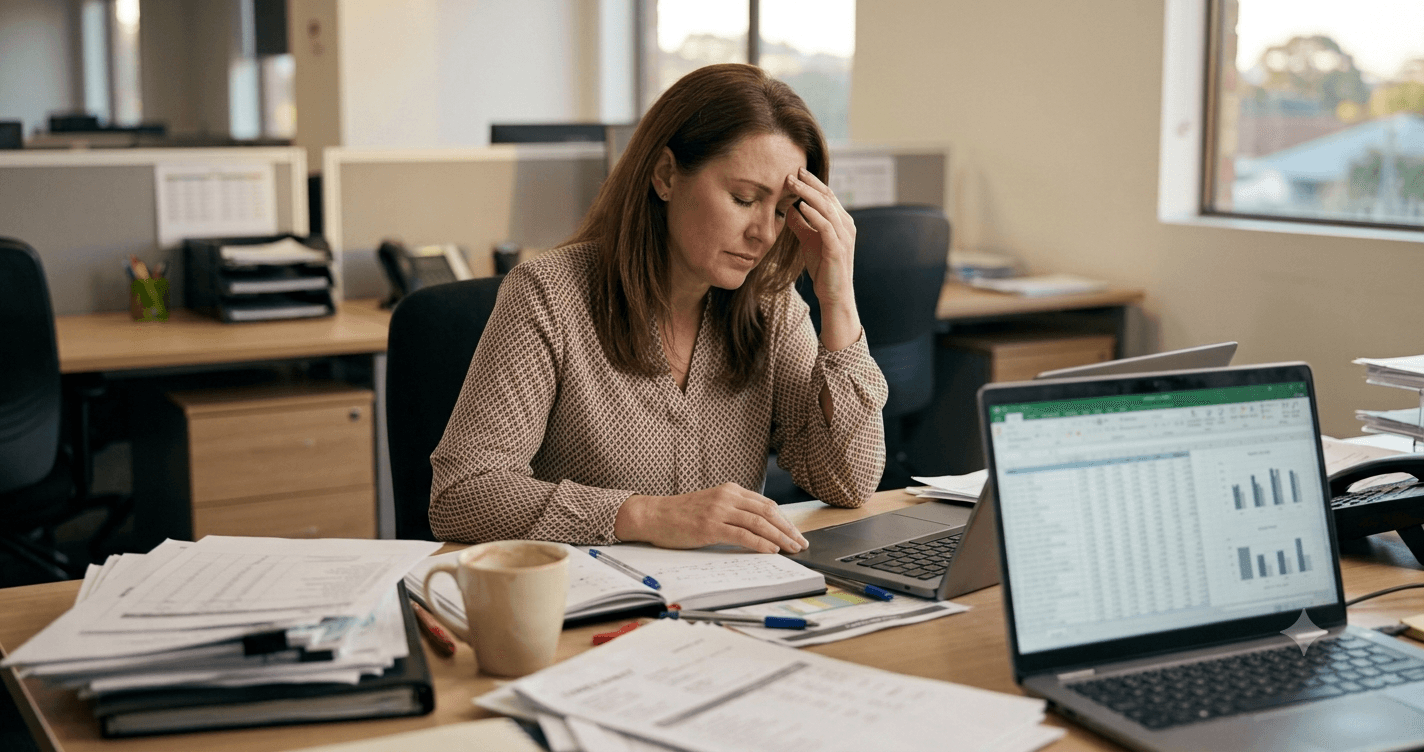
Documentation fatigue is a leading cause of burnout among allied health professionals. When a therapist sees six to eight clients a day, the cognitive load required to remember the specific nuances of every muscle group tested or every environmental modification recommended is immense. Using speech recognition allows for "point-of-care" documentation—capturing observations the moment they happen. Studies show that clinicians who use voice technology report significantly lower stress levels related to their administrative workload. (Source: Healthcare Information and Management Systems Society, 2026).
Improving Clinical Accuracy and Detail
The transition to voice technology isn't just about speed; it is about the quality of the clinical record. When typing, therapists often summarize or omit details to save time. In contrast, dictation encourages a richer narrative. An OT can describe the precise tremors observed during a fine motor task or the specific social cues a pediatric client responded to with far more nuance than a typed bullet point. This depth is vital for the multi-disciplinary teams that rely on these notes for holistic care.
62%
increase in clinical note detail reported by therapists switching to AI voice-to-text
The Mechanics of Speech-to-Text in OT Settings
Understanding how voice to text for occupational therapy notes functions technically helps practitioners troubleshoot and optimize their experience. Modern systems no longer rely on simple acoustic matching. Instead, they utilize Large Language Models (LLMs) and Deep Learning to understand context, grammar, and specialized medical terminology.
Natural Language Processing (NLP) Explained
NLP is the engine under the hood. For an OT, this means the software understands the difference between "the patient is stable" and "the patient moved the table." It recognizes clinical acronyms like ADLs (Activities of Daily Living), ROM (Range of Motion), and WFL (Within Functional Limits) without requiring the user to spell them out. By training on vast datasets of medical literature, these AI systems have developed an "ear" for the specific cadence of clinical speech.
Real-time vs. Post-Session Transcription
There are two primary modes of operation. Real-time transcription allows the therapist to see words appear on the screen as they speak, which is ideal for office-based work. Post-session transcription involves recording a memo and having the AI process it later. For mobile therapists doing home visits, the latter is often preferred. By utilizing Voice to Structured Data for Therapists: A 2026 Guide, practitioners can ensure that even messy, conversational recordings are converted into clean, professional documentation.
Step-by-Step Guide: Implementing Voice to Text for Occupational Therapy Notes
Transitioning to a voice-first workflow requires more than just a software subscription; it requires a change in habit and environment. Follow this proven roadmap to ensure a successful rollout in your practice.
Step 1: Selecting the Right Hardware
While most modern smartphones have decent microphones, they are often omnidirectional, meaning they pick up every crying child in a pediatric clinic or every air conditioner hum. For professional voice to text for occupational therapy notes, invest in a noise-canceling headset or a directional USB microphone for your desktop. This ensures the AI receives a "clean" signal, which dramatically reduces transcription errors and the need for manual editing.
Step 2: Preparing Your Environment for Dictation
Acoustics matter. If you are dictating in a room with hard surfaces, you may experience echo. Adding soft furnishings or a simple acoustic panel can help. More importantly, consider the privacy of the environment. Ensure that you are in a secure location where third parties cannot overhear sensitive patient information. This is not just a technical requirement but a core ethical responsibility in allied health.
Step 3: Template-Based Dictation Techniques
To get the most out of AI, use "trigger words" or templates. For example, you might say, "Insert SOAP template," and then fill in each section. Dictate with punctuation in mind: say "period," "new paragraph," or "comma." Modern AI is getting better at auto-punctuating, but manual cues still provide the highest level of structural control over your clinical reports.

Maximizing Efficiency and Billable Hours
One of the most significant advantages of automating your documentation is the direct impact on the bottom line. In a fee-for-service or NDIS model, every minute spent on unbillable paperwork is lost revenue. By using Improving Billable Hours in Allied Health: 2026 Growth Guide techniques, OTs can reclaim hours that were previously "sunk costs."
Reducing Administrative Overhead
The "traditional" way of documenting involves taking messy handwritten notes during a session and then spending 20 minutes at the end of the day deciphering and typing them. This creates an "admin debt" that piles up. Voice-to-text allows for immediate completion. If an OT saves just 10 minutes per patient across six patients a day, that is a full hour of time reclaimed. Over a week, that is five hours—nearly an extra day of productivity.
Enhancing Client-Facing Time
When documentation is fast, OTs can spend more time on high-value activities: research, professional development, or direct patient intervention. In some clinical models, therapists use ambient dictation to record the session itself (with consent), allowing them to be fully present with the client rather than looking at a screen. This "person-centered" approach is highly valued in NDIS settings and leads to better therapeutic outcomes.
Activity | Manual Typing (Time) | AI Voice-to-Text (Time) | Efficiency Gain |
|---|---|---|---|
Daily Progress Note | 12 Minutes | 4 Minutes | 66% |
Initial Assessment Report | 45 Minutes | 15 Minutes | 67% |
NDIS Plan Review | 60 Minutes | 20 Minutes | 66% |
Maintaining HIPAA and Privacy Compliance with Voice to Text for Occupational Therapy Notes
Security is the number one concern for clinic owners when adopting voice to text for occupational therapy notes. You cannot simply use the default dictation on a standard consumer phone for clinical data, as the data pathways may not meet health privacy standards.
End-to-End Encryption Standards
Professional OT dictation software ensures that the audio data is encrypted while it is being sent to the cloud for processing (in transit) and while it is stored on the server (at rest). Look for software that utilizes AES-256 encryption. Additionally, the software should offer a "zero-retention" policy where audio is deleted immediately after the text is generated, minimizing the risk of a data breach.
"The difference between a consumer app and a clinical tool is the Business Associate Agreement. If the company won't sign a BAA, it shouldn't be used for OT notes." — Dr. Sarah Jenkins, Chief Digital Health Officer at AlliedTech Solutions
Managing Patient Data Security
Therapists must also ensure that the text generated does not remain on local, unencrypted devices. Most specialized tools integrate directly with the Practice Management System, ensuring the note is transferred into the patient's secure electronic health record (EHR) and then wiped from the local device. This workflow is essential for meeting NDIS audit requirements and protecting your practice from liability.
Comparative Analysis of OT Documentation Tools
Choosing the right tool depends on your practice size, budget, and specific clinical needs. The market has evolved significantly, with 2026 seeing the rise of context-aware AI built specifically for therapists.
Traditional Typing vs. Dictation
While typing allows for visual correction in the moment, it is fundamentally slower. The average person types at 40 words per minute but speaks at 150 words per minute. For an OT, this means dictation is nearly four times faster. Furthermore, voice technology reduces the risk of repetitive strain injuries (RSI) like carpal tunnel syndrome, which is a common occupational hazard for high-volume documenters.
Specialized OT Software vs. General Dictation
General tools like Siri or Google Dictation are excellent for text messages but fail when faced with words like "proprioceptive neuromuscular facilitation." Specialized software uses a "clinical lexicon"—a database of medical and therapy-specific terms—that ensures high accuracy for technical reports. Furthermore, specialized tools often include templates for Goal Attainment Scaling (GAS) and other OT-specific metrics.
Feature | General AI Dictation | Curki AI Healthcare Suite |
|---|---|---|
Medical Vocabulary | Limited / High Errors | Comprehensive / Optimized |
Compliance (HIPAA) | Usually No | Yes (BAA Included) |
PMS Integration | Manual Copy/Paste | Direct API Sync |
Structuring Data | None | Automatic Section Mapping |
Advanced AI Integration: Beyond Simple Transcription
The cutting edge of voice to text for occupational therapy notes is no longer just converting speech to words; it is converting speech into *structured clinical data*. This means the AI can listen to a messy 5-minute summary and automatically draft a perfectly formatted SOAP note, separating subjective complaints from objective findings.
Mapping to NDIS and Medicare Standards
In Australia, NDIS documentation requires a specific focus on functional outcomes and goal-related progress. Advanced AI systems can be prompted to "rewrite this dictation for an NDIS review," and the software will highlight goal-related achievements and functional improvements based on the raw voice input. This ensures that the documentation is always aligned with the funding requirements, reducing the risk of rejected claims.
Generating Goal Attainment Scaling (GAS) through Voice
Goal Attainment Scaling is a gold standard in OT but can be tedious to write out. With voice-to-structured-data tools, a therapist can simply dictate the current level of function and the expected outcome, and the AI will generate the 5-point scale automatically. This level of automation allows therapists to use sophisticated clinical tools that they might have previously avoided due to the time commitment required.
Mastering Chiruki AI Workforce Tools for OT Documentation
For organizations managing multiple therapists, efficiency is a team sport. Utilizing Mastering Curki AI Workforce Tools: 2026 Guide, practice managers can oversee the entire documentation pipeline. This includes tracking completion rates and ensuring that all notes meet the clinic's internal quality benchmarks before they are finalized.
Integration with CRM and PMS Systems
The true power of voice to text for occupational therapy notes is realized when it talks to your other software. By integrating with platforms like Halaxy, Cliniko, or Nookal, the dictated note can be automatically filed under the correct appointment. This eliminates the "copy-paste" workflow that often leads to errors—such as putting one patient's notes in another's file.
Custom Workflows for Occupational Therapists
OTs have unique needs compared to GPs or psychologists. They need to document home modifications, equipment trials, and complex cognitive assessments. Curki AI allows for the creation of custom voice "shorthands." For example, an OT could say "insert wheelchair trial template," and the AI would provide the specific fields for seat width, depth, and pressure care requirements, which the therapist then fills in via voice.
Future Trends: The Evolution of Ambient Intelligence in OT
As we look toward the late 2020s, the landscape of voice to text for occupational therapy notes is moving toward "ambient intelligence." This is a world where the documentation happens in the background without any active dictation required from the therapist.
Wearable Technology and Documentation
Imagine an OT wearing a subtle smart-mic or utilizing a tablet on a stand that uses ambient listening. During a session focused on upper limb rehab, the AI can track the number of repetitions discussed and the range of motion degrees mentioned, automatically populating the objective section of the note. This allows the therapist to keep their hands entirely on the client, providing physical support and feedback.
Predictive Analytics for Treatment Plans
Once your notes are digitized via voice, the AI can analyze trends across your entire patient list. It might suggest, "Patients with similar stroke profiles responded better to Task-Oriented Training than Bobath therapy." This moves documentation from being a retrospective record to a proactive clinical decision-support tool. By converting voice to data, OTs unlock a new level of clinical intelligence that was previously hidden in paper files.

Frequently Asked Questions
How does voice to text improve OT documentation accuracy?
Voice to text improves accuracy by enabling "point-of-care" documentation. Therapists can record their findings immediately after a session while the details are fresh, rather than waiting until the end of the day when memory recall is less reliable. AI-driven systems are also trained on specific medical terminology, ensuring technical terms are spelled correctly every time.
Is voice to text for occupational therapy notes HIPAA compliant?
Yes, as long as you choose a platform specifically built for healthcare. Professional solutions like Curki.ai use end-to-end encryption and provide Business Associate Agreements (BAA) to ensure that all data is handled according to HIPAA and Australian Privacy Act standards. Standard consumer dictation apps on phones are usually not compliant.
Can it handle strong accents or background noise?
Modern AI models are extremely robust against different accents because they use contextual analysis rather than just phonetic matching. Background noise can be managed by using a high-quality noise-canceling microphone, which filters out environmental sounds to focus solely on the therapist's voice.
Does it work for pediatric occupational therapy?
Absolutely. Pediatric OTs find it particularly useful because they are often moving around the room with children and cannot sit at a computer. Voice-to-text allows them to dictate a quick note on a mobile device while the child is engaged in a task, capturing the dynamic nature of pediatric therapy more effectively than delayed typing.
How long does it take to learn the system?
Most therapists become proficient with voice-to-text within a few days. The AI learns your voice patterns over time, and once you master basic commands for punctuation and templates, the speed of documentation increases dramatically. Most platforms offer short tutorials to get users up to speed quickly.
Quick Summary
Occupational therapists (OTs) are increasingly turning to voice to text for occupational therapy notes to combat documentation burnout and improve clinical accuracy. By leveraging AI-driven speech recognition, OTs can transcribe complex clinical observations, assessment results, and SOAP notes up to three times faster than manual typing. This technology not only enhances the level of detail in NDIS and Medicare reports but also significantly boosts billable hours by reclaiming administrative time. This guide explores the implementation strategies, privacy considerations, and the best tools for 2026.
🎯 Key Takeaways
Efficiency Gains: Voice dictation reduces note-taking time by 40-60% compared to traditional typing.
Clinical Depth: Real-time capture prevents 'information loss' and leads to more comprehensive patient care plans.
Compliance: Modern AI tools ensure HIPAA and Australian Privacy Act compliance for sensitive health data.
NDIS Optimization: Detailed, goal-aligned progress notes facilitate faster plan approvals and audit readiness.
Interoperability: Top-tier software integrates seamlessly with popular Practice Management Systems (PMS).
Table of Contents
Why Voice to Text for Occupational Therapy Notes is the Future of Allied Health
The Mechanics of Speech-to-Text in OT Settings
Step-by-Step Guide: Implementing Voice to Text for Occupational Therapy Notes
Maximizing Efficiency and Billable Hours
Maintaining HIPAA and Privacy Compliance with Voice to Text for Occupational Therapy Notes
Comparative Analysis of OT Documentation Tools
Advanced AI Integration: Beyond Simple Transcription
Mastering Curki AI Workforce Tools for OT Documentation
Future Trends: The Evolution of Ambient Intelligence in OT
Frequently Asked Questions
Why Voice to Text for Occupational Therapy Notes is the Future of Allied Health
For many years, the primary barrier to high-quality care in occupational therapy hasn't been a lack of clinical skill, but the overwhelming volume of paperwork. Between initial assessments, daily progress notes, and complex NDIS reporting, the average therapist spends over 10 hours a week on documentation. Implementing voice to text for occupational therapy notes transforms this workflow from a manual chore into a streamlined, high-speed process.
Overcoming Documentation Fatigue
Documentation fatigue is a leading cause of burnout among allied health professionals. When a therapist sees six to eight clients a day, the cognitive load required to remember the specific nuances of every muscle group tested or every environmental modification recommended is immense. Using speech recognition allows for "point-of-care" documentation—capturing observations the moment they happen. Studies show that clinicians who use voice technology report significantly lower stress levels related to their administrative workload. (Source: Healthcare Information and Management Systems Society, 2026).
Improving Clinical Accuracy and Detail
The transition to voice technology isn't just about speed; it is about the quality of the clinical record. When typing, therapists often summarize or omit details to save time. In contrast, dictation encourages a richer narrative. An OT can describe the precise tremors observed during a fine motor task or the specific social cues a pediatric client responded to with far more nuance than a typed bullet point. This depth is vital for the multi-disciplinary teams that rely on these notes for holistic care.
62%
increase in clinical note detail reported by therapists switching to AI voice-to-text
The Mechanics of Speech-to-Text in OT Settings
Understanding how voice to text for occupational therapy notes functions technically helps practitioners troubleshoot and optimize their experience. Modern systems no longer rely on simple acoustic matching. Instead, they utilize Large Language Models (LLMs) and Deep Learning to understand context, grammar, and specialized medical terminology.
Natural Language Processing (NLP) Explained
NLP is the engine under the hood. For an OT, this means the software understands the difference between "the patient is stable" and "the patient moved the table." It recognizes clinical acronyms like ADLs (Activities of Daily Living), ROM (Range of Motion), and WFL (Within Functional Limits) without requiring the user to spell them out. By training on vast datasets of medical literature, these AI systems have developed an "ear" for the specific cadence of clinical speech.
Real-time vs. Post-Session Transcription
There are two primary modes of operation. Real-time transcription allows the therapist to see words appear on the screen as they speak, which is ideal for office-based work. Post-session transcription involves recording a memo and having the AI process it later. For mobile therapists doing home visits, the latter is often preferred. By utilizing Voice to Structured Data for Therapists: A 2026 Guide, practitioners can ensure that even messy, conversational recordings are converted into clean, professional documentation.
Step-by-Step Guide: Implementing Voice to Text for Occupational Therapy Notes
Transitioning to a voice-first workflow requires more than just a software subscription; it requires a change in habit and environment. Follow this proven roadmap to ensure a successful rollout in your practice.
Step 1: Selecting the Right Hardware
While most modern smartphones have decent microphones, they are often omnidirectional, meaning they pick up every crying child in a pediatric clinic or every air conditioner hum. For professional voice to text for occupational therapy notes, invest in a noise-canceling headset or a directional USB microphone for your desktop. This ensures the AI receives a "clean" signal, which dramatically reduces transcription errors and the need for manual editing.
Step 2: Preparing Your Environment for Dictation
Acoustics matter. If you are dictating in a room with hard surfaces, you may experience echo. Adding soft furnishings or a simple acoustic panel can help. More importantly, consider the privacy of the environment. Ensure that you are in a secure location where third parties cannot overhear sensitive patient information. This is not just a technical requirement but a core ethical responsibility in allied health.
Step 3: Template-Based Dictation Techniques
To get the most out of AI, use "trigger words" or templates. For example, you might say, "Insert SOAP template," and then fill in each section. Dictate with punctuation in mind: say "period," "new paragraph," or "comma." Modern AI is getting better at auto-punctuating, but manual cues still provide the highest level of structural control over your clinical reports.
Maximizing Efficiency and Billable Hours
One of the most significant advantages of automating your documentation is the direct impact on the bottom line. In a fee-for-service or NDIS model, every minute spent on unbillable paperwork is lost revenue. By using Improving Billable Hours in Allied Health: 2026 Growth Guide techniques, OTs can reclaim hours that were previously "sunk costs."
Reducing Administrative Overhead
The "traditional" way of documenting involves taking messy handwritten notes during a session and then spending 20 minutes at the end of the day deciphering and typing them. This creates an "admin debt" that piles up. Voice-to-text allows for immediate completion. If an OT saves just 10 minutes per patient across six patients a day, that is a full hour of time reclaimed. Over a week, that is five hours—nearly an extra day of productivity.
Enhancing Client-Facing Time
When documentation is fast, OTs can spend more time on high-value activities: research, professional development, or direct patient intervention. In some clinical models, therapists use ambient dictation to record the session itself (with consent), allowing them to be fully present with the client rather than looking at a screen. This "person-centered" approach is highly valued in NDIS settings and leads to better therapeutic outcomes.
Activity | Manual Typing (Time) | AI Voice-to-Text (Time) | Efficiency Gain |
|---|---|---|---|
Daily Progress Note | 12 Minutes | 4 Minutes | 66% |
Initial Assessment Report | 45 Minutes | 15 Minutes | 67% |
NDIS Plan Review | 60 Minutes | 20 Minutes | 66% |
Maintaining HIPAA and Privacy Compliance with Voice to Text for Occupational Therapy Notes
Security is the number one concern for clinic owners when adopting voice to text for occupational therapy notes. You cannot simply use the default dictation on a standard consumer phone for clinical data, as the data pathways may not meet health privacy standards.
End-to-End Encryption Standards
Professional OT dictation software ensures that the audio data is encrypted while it is being sent to the cloud for processing (in transit) and while it is stored on the server (at rest). Look for software that utilizes AES-256 encryption. Additionally, the software should offer a "zero-retention" policy where audio is deleted immediately after the text is generated, minimizing the risk of a data breach.
"The difference between a consumer app and a clinical tool is the Business Associate Agreement. If the company won't sign a BAA, it shouldn't be used for OT notes." — Dr. Sarah Jenkins, Chief Digital Health Officer at AlliedTech Solutions
Managing Patient Data Security
Therapists must also ensure that the text generated does not remain on local, unencrypted devices. Most specialized tools integrate directly with the Practice Management System, ensuring the note is transferred into the patient's secure electronic health record (EHR) and then wiped from the local device. This workflow is essential for meeting NDIS audit requirements and protecting your practice from liability.
Comparative Analysis of OT Documentation Tools
Choosing the right tool depends on your practice size, budget, and specific clinical needs. The market has evolved significantly, with 2026 seeing the rise of context-aware AI built specifically for therapists.
Traditional Typing vs. Dictation
While typing allows for visual correction in the moment, it is fundamentally slower. The average person types at 40 words per minute but speaks at 150 words per minute. For an OT, this means dictation is nearly four times faster. Furthermore, voice technology reduces the risk of repetitive strain injuries (RSI) like carpal tunnel syndrome, which is a common occupational hazard for high-volume documenters.
Specialized OT Software vs. General Dictation
General tools like Siri or Google Dictation are excellent for text messages but fail when faced with words like "proprioceptive neuromuscular facilitation." Specialized software uses a "clinical lexicon"—a database of medical and therapy-specific terms—that ensures high accuracy for technical reports. Furthermore, specialized tools often include templates for Goal Attainment Scaling (GAS) and other OT-specific metrics.
Feature | General AI Dictation | Curki AI Healthcare Suite |
|---|---|---|
Medical Vocabulary | Limited / High Errors | Comprehensive / Optimized |
Compliance (HIPAA) | Usually No | Yes (BAA Included) |
PMS Integration | Manual Copy/Paste | Direct API Sync |
Structuring Data | None | Automatic Section Mapping |
Advanced AI Integration: Beyond Simple Transcription
The cutting edge of voice to text for occupational therapy notes is no longer just converting speech to words; it is converting speech into *structured clinical data*. This means the AI can listen to a messy 5-minute summary and automatically draft a perfectly formatted SOAP note, separating subjective complaints from objective findings.
Mapping to NDIS and Medicare Standards
In Australia, NDIS documentation requires a specific focus on functional outcomes and goal-related progress. Advanced AI systems can be prompted to "rewrite this dictation for an NDIS review," and the software will highlight goal-related achievements and functional improvements based on the raw voice input. This ensures that the documentation is always aligned with the funding requirements, reducing the risk of rejected claims.
Generating Goal Attainment Scaling (GAS) through Voice
Goal Attainment Scaling is a gold standard in OT but can be tedious to write out. With voice-to-structured-data tools, a therapist can simply dictate the current level of function and the expected outcome, and the AI will generate the 5-point scale automatically. This level of automation allows therapists to use sophisticated clinical tools that they might have previously avoided due to the time commitment required.
Mastering Chiruki AI Workforce Tools for OT Documentation
For organizations managing multiple therapists, efficiency is a team sport. Utilizing Mastering Curki AI Workforce Tools: 2026 Guide, practice managers can oversee the entire documentation pipeline. This includes tracking completion rates and ensuring that all notes meet the clinic's internal quality benchmarks before they are finalized.
Integration with CRM and PMS Systems
The true power of voice to text for occupational therapy notes is realized when it talks to your other software. By integrating with platforms like Halaxy, Cliniko, or Nookal, the dictated note can be automatically filed under the correct appointment. This eliminates the "copy-paste" workflow that often leads to errors—such as putting one patient's notes in another's file.
Custom Workflows for Occupational Therapists
OTs have unique needs compared to GPs or psychologists. They need to document home modifications, equipment trials, and complex cognitive assessments. Curki AI allows for the creation of custom voice "shorthands." For example, an OT could say "insert wheelchair trial template," and the AI would provide the specific fields for seat width, depth, and pressure care requirements, which the therapist then fills in via voice.
Future Trends: The Evolution of Ambient Intelligence in OT
As we look toward the late 2020s, the landscape of voice to text for occupational therapy notes is moving toward "ambient intelligence." This is a world where the documentation happens in the background without any active dictation required from the therapist.
Wearable Technology and Documentation
Imagine an OT wearing a subtle smart-mic or utilizing a tablet on a stand that uses ambient listening. During a session focused on upper limb rehab, the AI can track the number of repetitions discussed and the range of motion degrees mentioned, automatically populating the objective section of the note. This allows the therapist to keep their hands entirely on the client, providing physical support and feedback.
Predictive Analytics for Treatment Plans
Once your notes are digitized via voice, the AI can analyze trends across your entire patient list. It might suggest, "Patients with similar stroke profiles responded better to Task-Oriented Training than Bobath therapy." This moves documentation from being a retrospective record to a proactive clinical decision-support tool. By converting voice to data, OTs unlock a new level of clinical intelligence that was previously hidden in paper files.
Frequently Asked Questions
How does voice to text improve OT documentation accuracy?
Voice to text improves accuracy by enabling "point-of-care" documentation. Therapists can record their findings immediately after a session while the details are fresh, rather than waiting until the end of the day when memory recall is less reliable. AI-driven systems are also trained on specific medical terminology, ensuring technical terms are spelled correctly every time.
Is voice to text for occupational therapy notes HIPAA compliant?
Yes, as long as you choose a platform specifically built for healthcare. Professional solutions like Curki.ai use end-to-end encryption and provide Business Associate Agreements (BAA) to ensure that all data is handled according to HIPAA and Australian Privacy Act standards. Standard consumer dictation apps on phones are usually not compliant.
Can it handle strong accents or background noise?
Modern AI models are extremely robust against different accents because they use contextual analysis rather than just phonetic matching. Background noise can be managed by using a high-quality noise-canceling microphone, which filters out environmental sounds to focus solely on the therapist's voice.
Does it work for pediatric occupational therapy?
Absolutely. Pediatric OTs find it particularly useful because they are often moving around the room with children and cannot sit at a computer. Voice-to-text allows them to dictate a quick note on a mobile device while the child is engaged in a task, capturing the dynamic nature of pediatric therapy more effectively than delayed typing.
How long does it take to learn the system?
Most therapists become proficient with voice-to-text within a few days. The AI learns your voice patterns over time, and once you master basic commands for punctuation and templates, the speed of documentation increases dramatically. Most platforms offer short tutorials to get users up to speed quickly.
Share It On:
Reclaim Your Clinical Hours
See how Curki's voice-to-text associates turn OT sessions into compliant, goal-aligned notes and return billable hours to your clinic.
Reclaim Your Clinical Hours
See how Curki's voice-to-text associates turn OT sessions into compliant, goal-aligned notes and return billable hours to your clinic.